How to Fix a Printer Paper Jam (Without Breaking Anything)
Paper jams are the #1 printer hardware problem — and most damage from jams is caused by the person removing them. Do it in this order and you will never tear a roller again.
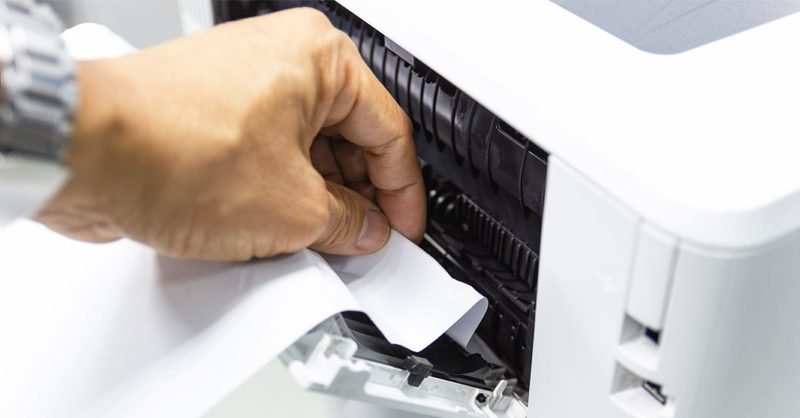
Step 1: Power off, always
Turn the printer off and unplug it before reaching inside. Moving parts do not care about your fingers, and some rollers actively pull while the printer is "thinking."
Step 2: Find the jam by location
Jams announce their location: a page half-out of the output tray means the jam is near the exit; a page visible in the input tray means it never got in properly; an error with nothing visible means it is deep inside — check the rear access door first, since that path is the straightest and safest.
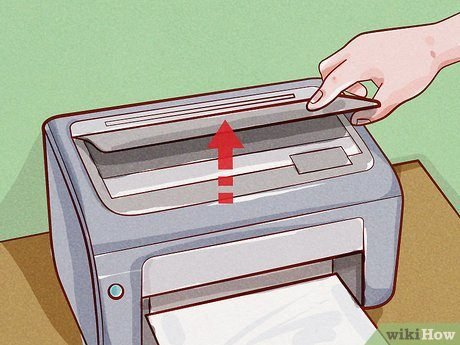
Step 3: Pull WITH the paper path, slowly
Never pull sideways or against the direction the paper travels — that is what tears rollers and snaps plastic flags. Grip the paper firmly with both hands, keep tension even, and pull smoothly in the direction the paper would normally move. If it resists, find another door: rear panels and duplexer units open the path from the other side.
Step 4: Get every scrap
The jam is not cleared until you have the whole sheet — or every piece of it. A one-centimeter scrap left inside will cause "phantom jams" forever. After clearing, rotate the visible rollers by hand (with power off) to surface hidden fragments, then blow out dust with canned air.
Step 5: Check for the real cause
One jam is bad luck; repeated jams are a symptom. Common culprits: worn pickup rollers (shiny or cracked), damp or curled paper, overfilled trays, and mismatched paper guides. If the printer is 3+ years old and jams weekly, the rollers need cleaning or replacement — that is a genuine repair, and exactly what our printer problem appointments are for.
Prevent jams before they start
Store paper flat and dry, fan the stack before loading so sheets do not stick, do not overfill the tray, and adjust the side guides so they touch the paper lightly without bending it. Cheap recycled paper saves pennies and costs jams.
Keep Reading
This is general guidance only. Summit Edge is not affiliated with, endorsed by, or an authorized support provider for any printer manufacturer.