Faded or Streaky Prints? Here's the Fix
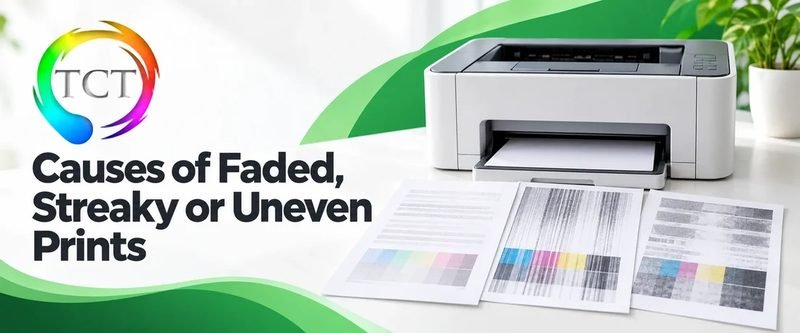
Faded text and streaky bands are the most common print-quality complaint. The cause is almost always one of four things, and the first two are free to fix.
Fix 1: Check levels the right way
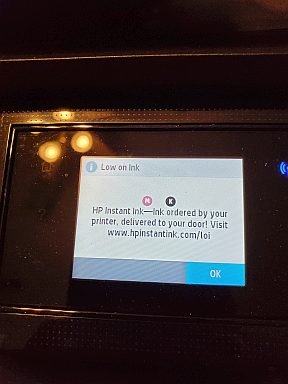
Start with the printer own menu (Ink Levels or Supplies), not Windows. Estimates lie in both directions — a "50% left" cartridge can print faded if one color is actually empty. If any color is at zero, replace it and re-test before anything else.
Fix 2: Clean the printhead (inkjets)
Clogged nozzles cause missing colors and white streaks. Run the cleaning cycle: HP — HP Smart → printhead cleaning; Canon/Epson — their apps have "Nozzle check" and "Head cleaning" under maintenance; Brother inkjets — from the printer menu. Run it once, print a test page, and only repeat if the test improves — repeated cleaning burns ink.
Fix 3: Redistribute the toner (lasers)
Laser prints fading evenly across the page usually means low toner. Remove the cartridge and rock it side to side five times to redistribute the remaining powder — you will often get dozens more pages. If fading persists after this, the cartridge is done.
Fix 4: Streaks that do not move
Bands and streaks in the same place on every page that survive cleaning point at hardware: a worn drum, a damaged fuser film, or a dirty laser scanner mirror. These are repairs, not settings — see below.
When to replace supplies vs the printer
If new cartridges or toner fix it: done, cheaply. If quality is still bad with fresh supplies, and the printer is out of warranty, compare the repair quote against a replacement from our store — for budget inkjets, new is usually cheaper than repair; for office lasers, repair usually wins.
Prevent it
Print at least one page a week — idle inkjets clog. Store spare toner horizontally, away from heat. And buy decent paper: dusty cheap paper causes more streaks than any hardware fault.
Keep Reading
This is general guidance only. Summit Edge is not affiliated with, endorsed by, or an authorized support provider for any printer manufacturer.